

Zink Kodak Step Wireless Color Photo Printer Bundle with Premium Sticky-Back Photo Paper
Product details
| Management number | 208611467 | Release Date | 2026/03/22 | List Price | $36.00 | Model Number | 208611467 | ||
|---|---|---|---|---|---|---|---|---|---|
| Category | |||||||||
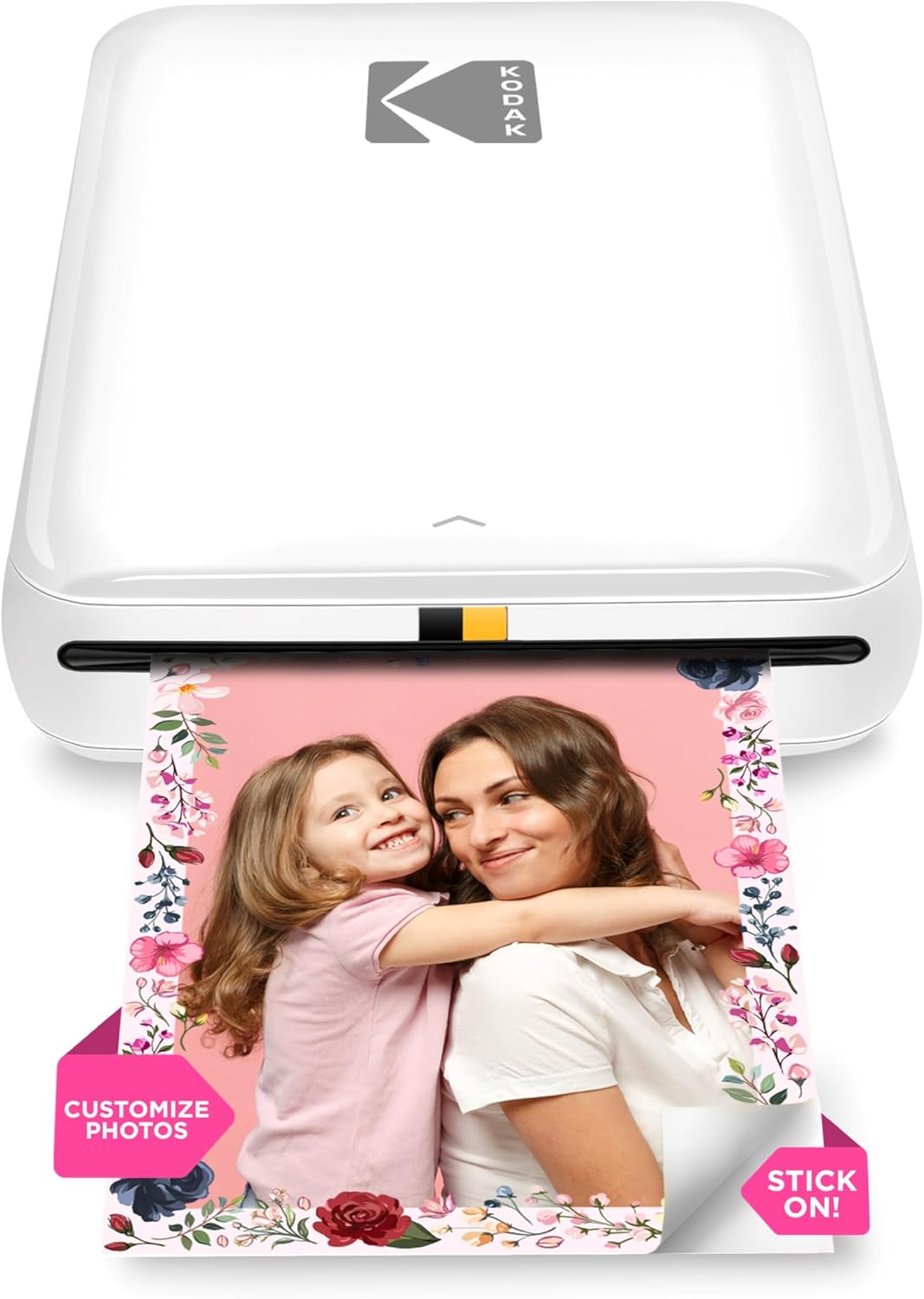
Zink Kodak Step Wireless Photo Printer 2x3 Sticky-Back Paper for Bluetooth or NFC Devices (Black) Sticker EditionPrint life one step at a time!Whether you’re an avid traveler, social influencer, nostalgic scrapbooker or on-the-go photographer, one thing is certain—printing pictures takes too many steps! Now, with the KODAK Step Printer, printing full-color photographs is faster and easier than ever. Just pair with any Bluetooth- or NFC-enabled smart device, and stunning full-color photo prints are in your hand in under 60 seconds. ZINK Zero Ink technology eliminates the need for expensive inks, toners and ribbons, delivering cool 2”x3” photographs you can peel and stick to any surface. Photos come out clear, bright, colorful and covered with an extra layer of protective coating to prevent smudges, rips and water damage. The KODAK app also lets you customize photos far beyond the usual ‘flip’ and ‘rotate’ of your smartphone. Use our extensive editing tools to apply flattering filters, cutesy stickers, decorative frames and other personalized flair. With mobile printing so quick and simple, you’ll be jamming at concerts, weddings, parties—everywhere but the actual printer! Includes 5 Sticker Frames - Patterns may vary.Kodak 2"x3" Premium Zink Photo Paper (50 Sheets) Compatible with Kodak Smile, Kodak Step, PRINTOMATIC, 50 count (Pack of 1)Every image boasts remarkable color integrity that is perfect for printing smartphone shots or social media photos. Zink zero ink photo paper is the exciting new way to print vibrantly colorful photos instantly, without the need for ink or toners. Easy to load, with no cleanup needed, sticky-back Zink photo prints are water-resistant, tear-resistant, smudge-proof, and dry to the touch. Zink paper also costs less than any other instant print brand, so you get more prints per penny.Allow the printer a few minutes to cool down between prints and have the photo papers in a cool and dry place. The Kodak Zink Photo Paper is inserted correctly and that nothing is obstructing the exit slot where the pictures come out. If you are experiencing a paper jam with your camera, make sure to turn the printer off and on again. This should eject the paper out. Do not pull out the paper by hand
- The Kodak Step Printer connects to iOS and Android devices via Bluetooth or NFC for instant wireless printing (up to 25 photos per full battery charge).
- Uses amazing ZINK zero-ink technology - no ink, toners or ribbons needed. The 2x3 inch sticky-back photo paper delivers high quality, durable prints resistant to moisture, rips and smudges.
- Download the free Kodak app to edit photos with filters, borders, stickers and text before printing.
- The premium ZINK photo paper creates stunningly vibrant 2x3 inch prints with glossy protective polymer coating that is water, tear and smudge resistant.
- Bundle includes Kodak Step printer, ZINK sticky-back photo paper (50 sheets), 5 sticker frames, and lithium-ion rechargeable battery.
| Duplex | Simplex |
|---|---|
| Sheet Size | 2 inches |
| Print media | Glossy photo paper |
| Model Series | Step |
| Scanner Type | Photo |
| Warranty Type | limited warranty |
| Control Method | App |
| Printer Ink Type | Zink paper |
| Item model number | b16f2190-3905-46d7-ba8c-d27d656a8b63 |
| Compatible Devices | Camera, Smartphones |
| Dualsided printing | No |
| Hardware Interface | Bluetooth |
| Output sheet capacity | 50 |
| Max Input Sheet Capacity | 50 |
| Specific Uses For Product | portable social photography, on-the-go photo printing, quick photo sharing, event photography, personal photography, social media integration |
| Additional Printer functions | Print Only |




Bestseller ranking
Portable Photo Printers


Customers who viewed this product also viewed
Tweeters


Correction of product information
If you notice any omissions or errors in the product information on this page, please use the correction request form below.
Correction Request Form